
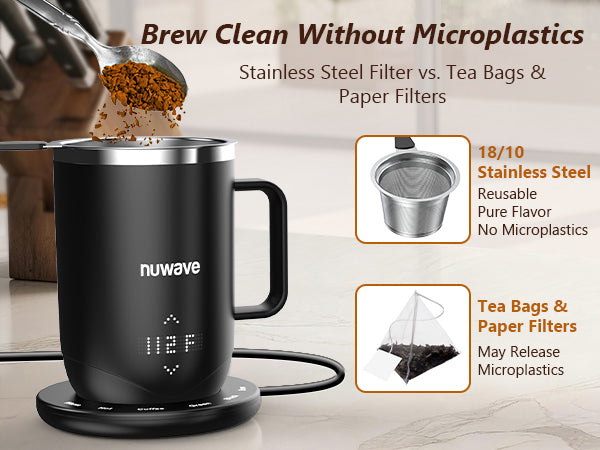
Our latest Nuwave Smart Mug brings the convenience of a battery-powered smart mug to your home, office, or on the go. It allows you to brew and enjoy your favorite warm beverages with precision and ease. This comprehensive guide provides complete Nuwave smart mug instructions, covering everything from powering on, navigating the LED display, using different modes, brewing coffee or tea, warming milk, and enjoying drinks safely.
Powering On and Off
Following the Nuwave smart mug instructions, powering on your mug is simple. Off the charging base, press and hold the nuwave button on the cup until it powers on. On the charging base, press and hold the nuwave button on the cup or tap the nuwave button on the charging base. The same instructions can be used to power off the mug.
Navigating the LED Display
Tap the nuwave button on the mug to scroll through the LED display. The mug has four main displays:
-
Current temperature – Displays the liquid’s current temperature.
-
Target temperature – Lets you set your desired drinking temperature.
-
Timer function – Shows brew time or temperature maintenance duration depending on mug position.
-
Battery level – Indicates remaining battery life.
The mug can detect if there is liquid inside. If you attempt to use any function without liquid, “Empty” will appear on the display.

Using Different Modes
The Nuwave smart mug instructions specify that the mug must be on the charging base to access its main modes. These modes allow you to maintain, brew, or heat your beverages precisely, making every drink perfect.
Preset Brewing Modes
The mug features five preset brewing modes, designed to simplify your daily beverage routine and give you consistent results every time:
-
Hot Mode: Maintains drinks at 150°F, keeping your coffee or tea piping hot for whenever you’re ready to sip. Perfect for those long work sessions or cozy mornings when you want your drink to stay warm without reheating.
-
Warm Mode: Keeps drinks at 135°F, ideal for a gently warm beverage that’s safe for children or perfect for slow sipping. This is great if you like to enjoy your drink over time without worrying about it getting cold.
-
Coffee: Brews coffee at 200°F for 4 minutes. Imagine waking up to a perfectly brewed cup of coffee, rich and aromatic, in just four minutes. No need for extra machines or timers—just add your grounds and let the mug do the work.
-
Green Tea: Brews green tea at 175°F for 2 minutes. Green tea is delicate, and with this preset, you get a perfectly steeped cup every time. Two minutes is all it takes to enjoy fresh, smooth, and flavorful green tea without guesswork.
-
Black Tea: Brews black tea at 205°F for 3 minutes. This preset ensures a strong, robust cup of black tea, with deep flavor and perfect warmth. Three minutes is all it takes for a classic, comforting cup that’s ready to enjoy right away.
To adjust the target temperature, tap the nuwave button until the display shows two arrows, then use the up or down arrows. These preset modes make it easy to customize your drink while ensuring consistent results. Whether it’s a quick coffee, a soothing green tea, or a warming cup of black tea, the Nuwave Smart Mug takes the guesswork out of brewing.
Practical Features of a Temperature-Controlled Smart Mug
1. Timer Function
The timer adapts depending on whether the mug is on the charging base. On the charging base, it functions as a brew timer for coffee, green tea, and black tea. Off the charging base, it controls how long the mug maintains your preferred temperature. Use the arrows to adjust the timer, and press and hold for faster changes. The mug maintains temperature for 1–12 hours or until the battery dies.
2. Mute and Lock Features
Mute: Place the mug on the charging base, hold the brew button until two beeps sound. Repeat to unmute.
Lock: Locks prevent accidental changes to the target temperature. Navigate to the target temperature display, then press and hold the nuwave button and up arrow until two beeps are heard. Repeat to unlock.
3. Precision Warm Mode
This mode quickly heats liquids to 98.6°F, ideal for baby formula, milk, or delicate drinks. On the charging base, press and hold both warm and hot buttons. Off the charging base, navigate to the target temperature display, then press and hold the nuwave button and down arrow.
Watch the Video Tutorial: How to Use the Nuwave Smart Mug↗

Brewing Coffee or Tea the Way You’ll Love
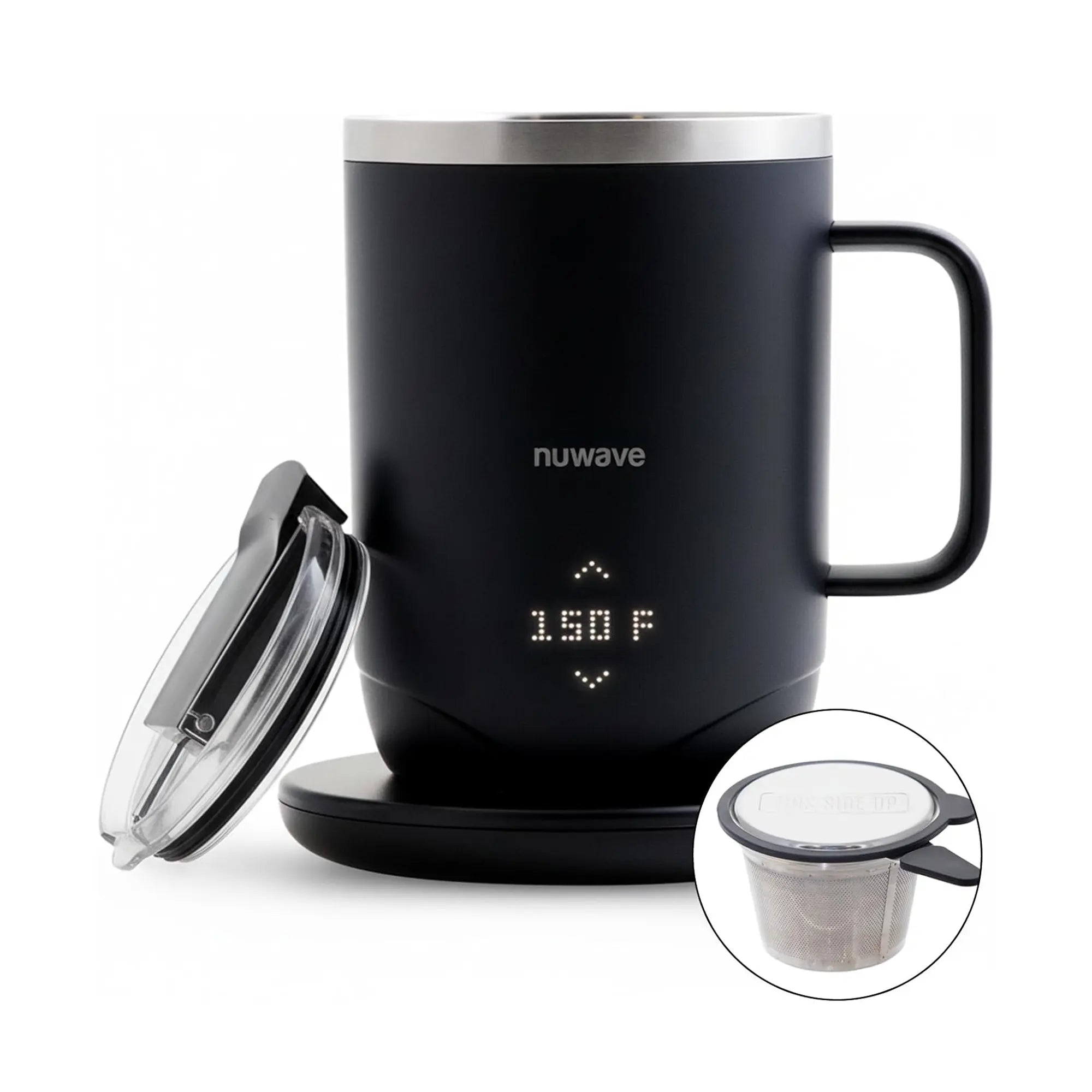
☕ Brewing Coffee: Place coffee grounds in the included filter. Place the filter onto the mug. Slowly pour boiling water into the mug until full. Press coffee then brew; the timer will display the countdown. Place the lid over the filter while brewing. Carefully remove the filter and lid when finished.
🍵 Brewing Green Tea: Add green tea to the filter. Place the filter onto the mug and pour boiling water. Press green then brew; the timer starts automatically. Place the lid over the filter while brewing. Carefully remove the filter and lid when finished.
Brewing Black Tea: Add black tea to the filter. Place the filter onto the mug and pour boiling water. Press black then brew; the timer starts automatically. Place the lid over the filter while brewing. Carefully remove the filter and lid when finished.
⚠️ Safety Tip: After brewing, the mug rim is very hot. Allow it to cool or handle carefully.
More Features You’ll Love
✓ Warming Milk or Formula: The precision warm mode heats milk or formula to 98.6°F, ideal for infants and delicate drinks. Pour milk into the mug and activate precision warm mode to ensure a safe and comfortable temperature.
✓ Enjoying Your Drink On the Go: Remove the mug from the charging base and secure the lid properly. For better insulation, close the black plastic cap while avoiding direct contact with openings to prevent burns. Your drink is now ready to enjoy anywhere.
FAQ – Nuwave Smart Mug Instructions
Q1: How long does the battery last?
A: Depending on how much the cup is used, it can keep your drink at a set temperature for up to 12 hours.
Q2: Can I brew tea or coffee without the filter?
A: The filter is recommended to ensure proper brewing and to prevent sediment in your drink.
Q3: What is Precision Warm mode used for?
A: Precision Warm mode heats liquids to 98.6°F, perfect for baby formula, milk, or other delicate beverages.
Q4: How do I adjust the temperature quickly?
A: Use the up or down arrows on the mug display; press and hold for faster adjustment.
Q5: How do I lock or unlock the mug?
A: Navigate to the target temperature display, press and hold the nuwave button and up arrow to lock; repeat to unlock.
Shop the Nuwave Self Brewing Mug↗ today and get a trusted companion for home and on-the-go beverages, delivering convenience, safety, and perfectly heated drinks every time.


Leave a comment
This site is protected by hCaptcha and the hCaptcha Privacy Policy and Terms of Service apply.