
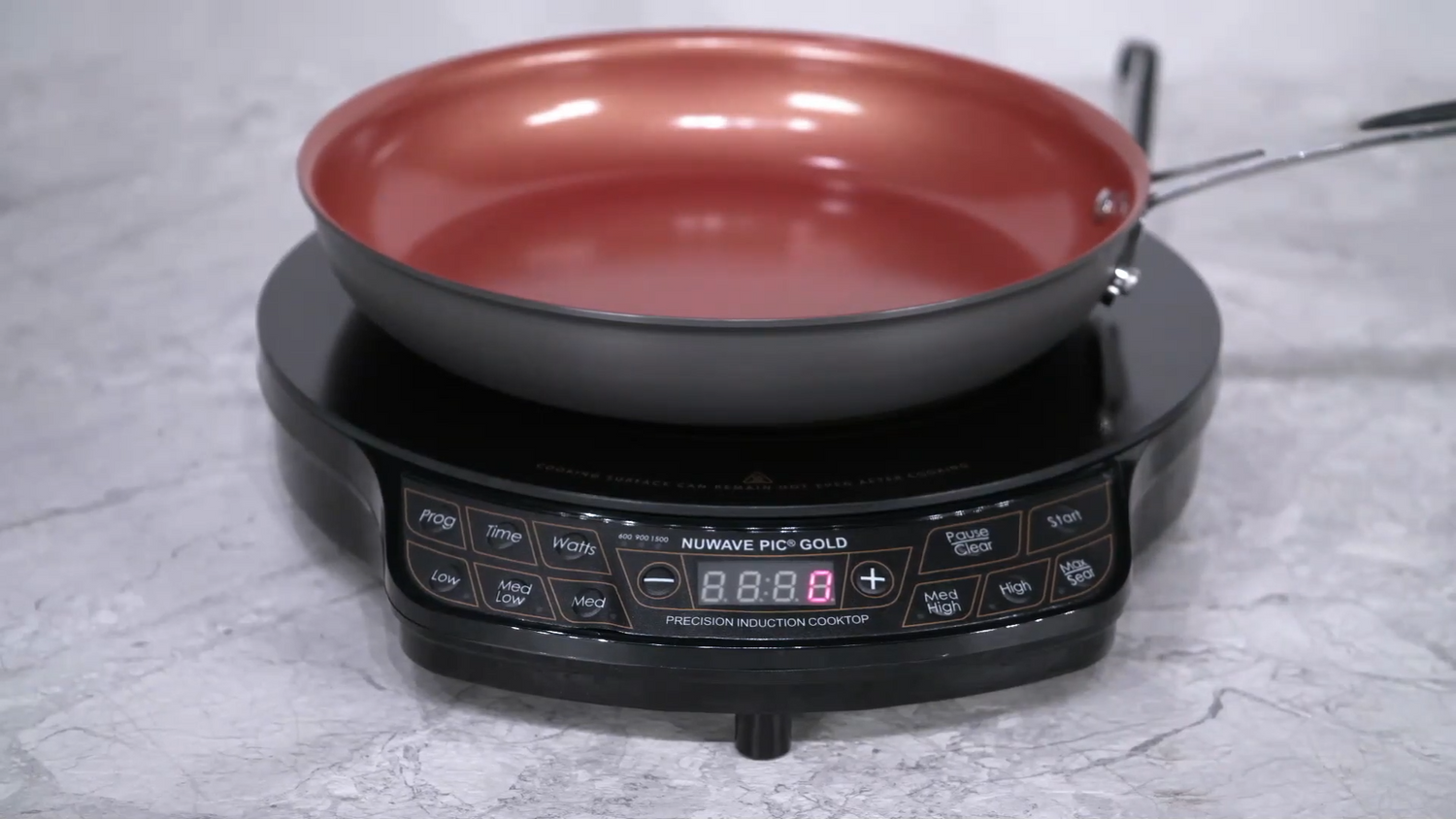
Dear Nuwavers, hope your are enjoying your Nuwave home and kitchen! Here's a quick guide on setting time and temperature for your Nuwave PIC induction cooktop:
Default Settings
Pressing Start without adjustments will begin heating at 375°F for 1 hour.
Preset Temperatures
The cooktop offers pre-programmed settings for various cooking needs:
- Low: 100°F
- Medium Low: 175°F
- Medium: 275°F
- Medium High: 375°F (default)
- High: 425°F
- Max Sear: 500°F
Adjusting Temperature
- To set a specific temperature other than the presets, use the "+" and "-" buttons next to the temperature display.
- These buttons adjust the temperature in 10-degree increments.
Adjusting Time
- Press the "Time" button to adjust the cooking duration.
- The first press allows adjustments in 1-minute increments.
- A second press adjusts in 10-minute increments.
- A third press adjusts in 1-hour increments.
- A blinking zero indicates the currently adjustable digit.
Starting Cooking
Once you've set your desired time and temperature, simply press the "Start" button to begin cooking.
Click to watch the video instructions on Nuwave's YouTube Channel.



Leave a comment
This site is protected by hCaptcha and the hCaptcha Privacy Policy and Terms of Service apply.